

Forms & Fields
A form is the unit that receives submissions. It lives inside a project and has its own fields, settings, notifications, rules, and integrations. Each form has a unique submission URL.
Fields
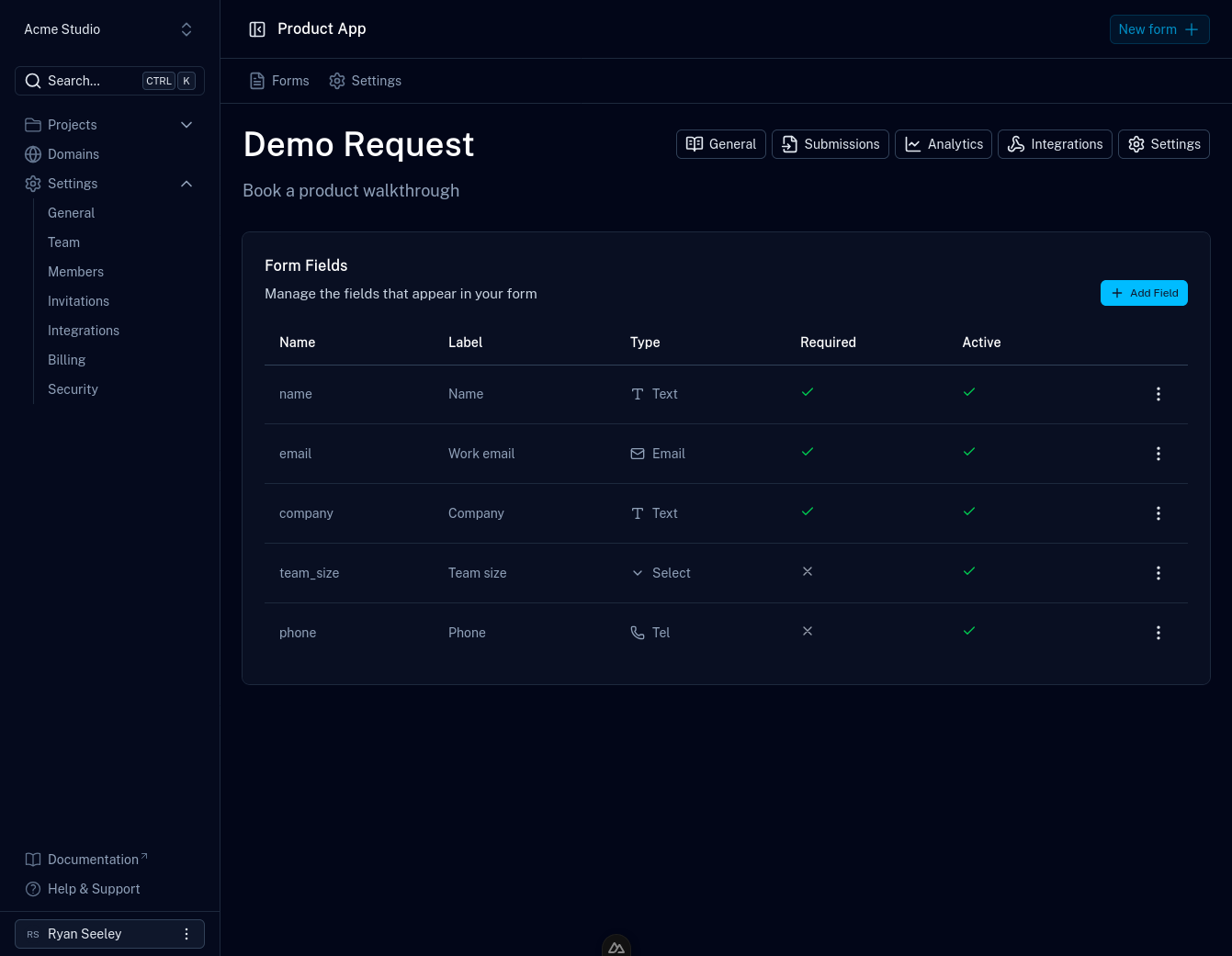
Fields describe what a form collects. Each field has a name (matched against
the name attribute of your HTML input), a type, an optional label, and
validation options such as whether it's required.
Defining fields is optional for capturing data, since any value you post is stored either way. But fields are what unlock validation, per-field analytics, and spam rules, so define one for every input in your form.
Field types
Formiary fields map to standard HTML input types, so validation matches what browsers already enforce:
| Type | Use for |
|---|---|
text | Single-line free text |
email | Email addresses |
number | Numeric values |
tel | Phone numbers |
url | Web addresses |
password | Masked secret values |
checkbox | Boolean / opt-in values |
radio | One choice from a set |
select | One choice from a dropdown |
date, datetime-local, time, month, week | Dates and times |
color | Color values |
range | Numeric values within a range |
file | File uploads |
hidden | Values not shown to the user (see honeypots) |
Managing fields
- Open a form from your project.
- Click Add Field, choose a type, and set the field's name.
- Configure options such as required, and spam flags like
honeypot or
link detection. A required field
must be present and non-empty in each submission. An empty value, which
is what browsers send for untouched inputs, is rejected. This matches how
requiredbehaves in the browser. - Save. Edit or remove fields at any time from the same page.
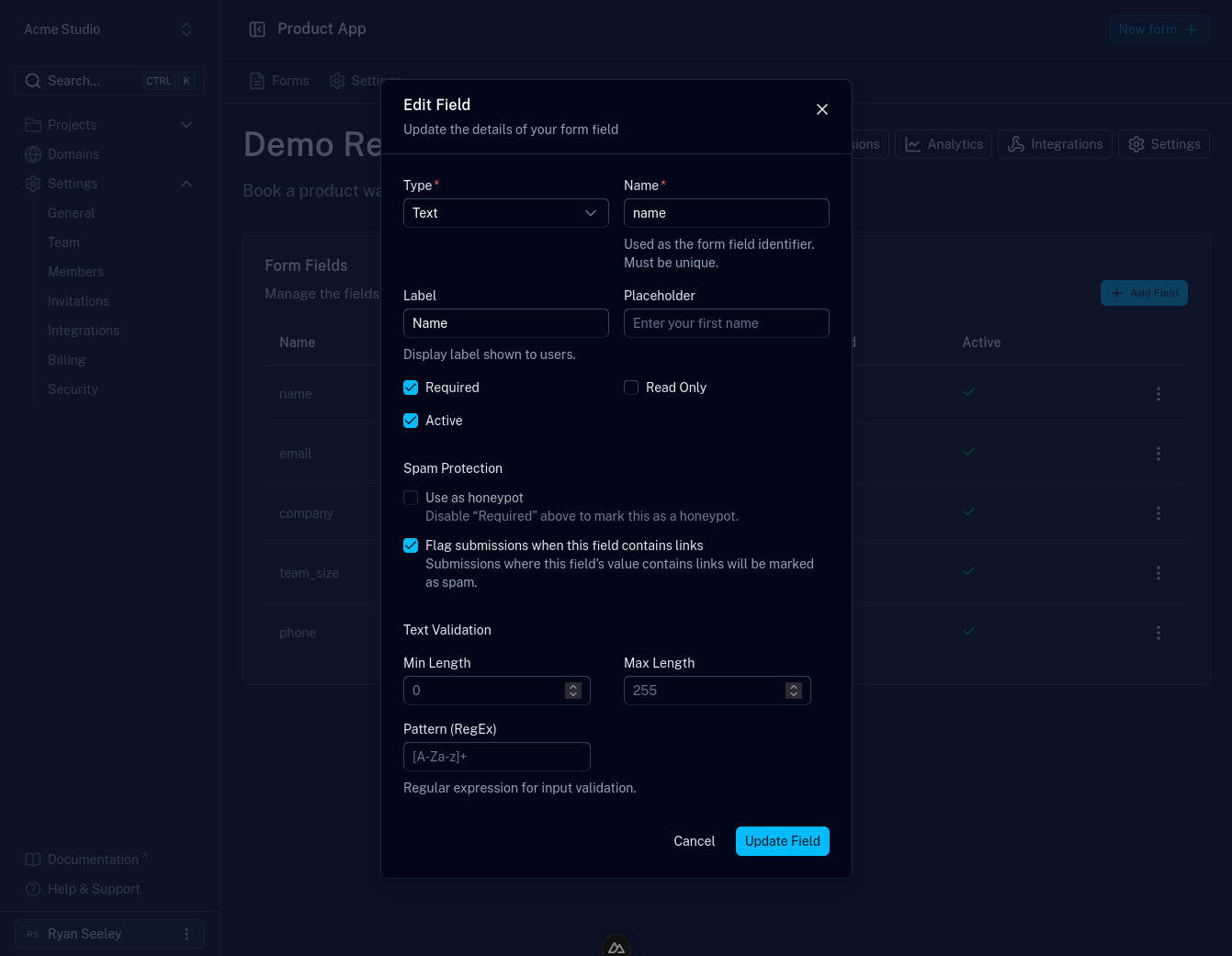
name attribute of the corresponding input on
your website. Labels are for display only.File uploads
Add a file field and include a matching <input type="file"> in your form.
Because file uploads require multipart/form-data, make sure your form uses
enctype="multipart/form-data" (or a FormData body in JavaScript). Uploaded
files are available from the submission detail view, and file storage is subject
to your plan's limits.
Form status
A form can be active or inactive. Inactive forms stop accepting new submissions, which is how you pause a campaign without deleting the form or its data. Toggle this from the form's Settings.