

Custom Domains
Add and verify a domain so Formiary can send email from your brand.
Custom domains let Formiary send email from your own domain instead of a generic address, which is what auto-responses use. Manage domains from the Domains page.
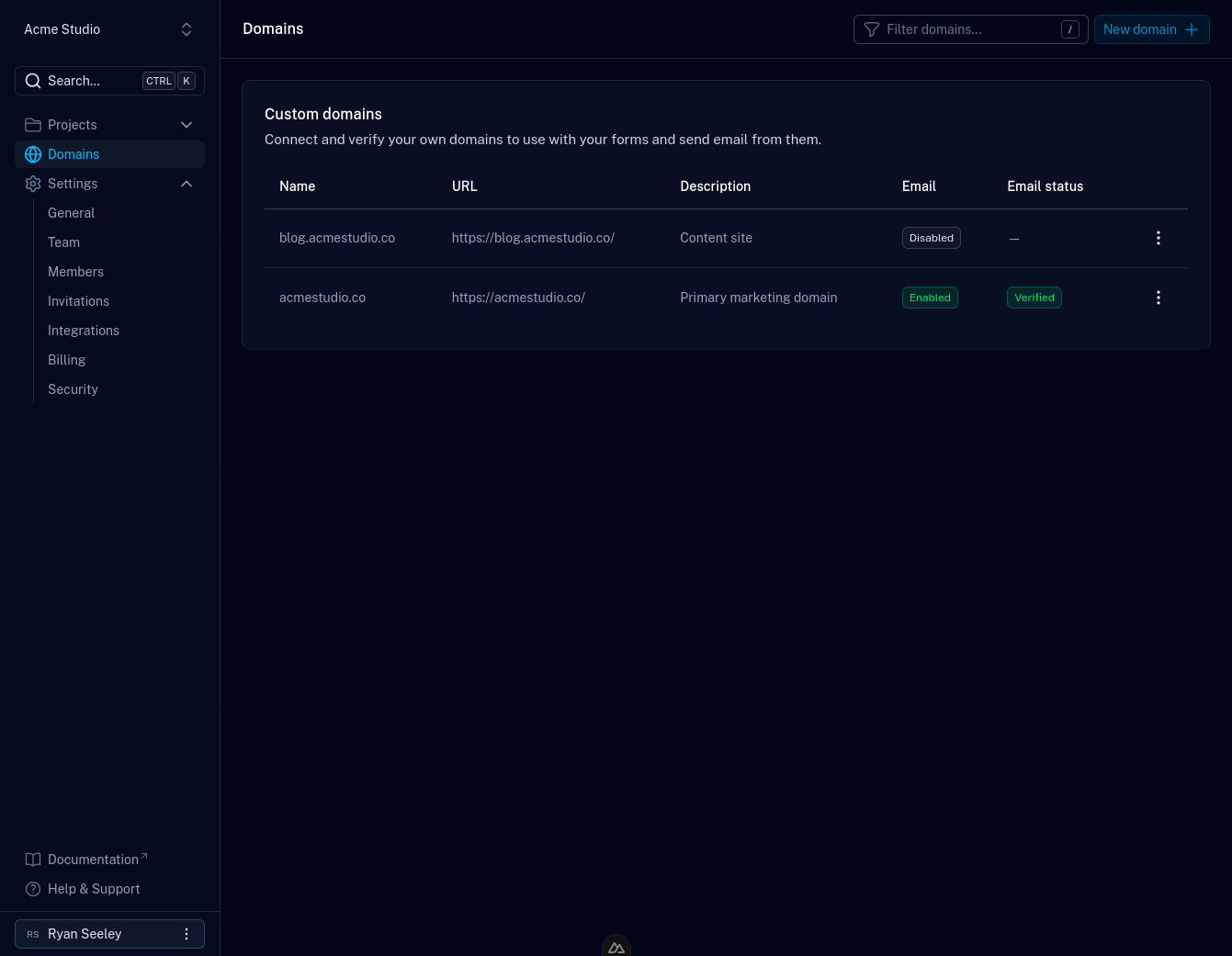
Add a domain
- Open the Domains page.
- Click New Domain.
- Enter your domain name and save.
Verify your domain
To send email from your domain, you'll add the DNS records Formiary provides. This proves you own the domain and lets mailboxes trust mail sent on its behalf.
- On the Domains page, open the domain you want to verify.
- Add the DNS records shown to you at your DNS provider. Common providers' guides:
- Once the records are in place, return to Formiary and click Verify.
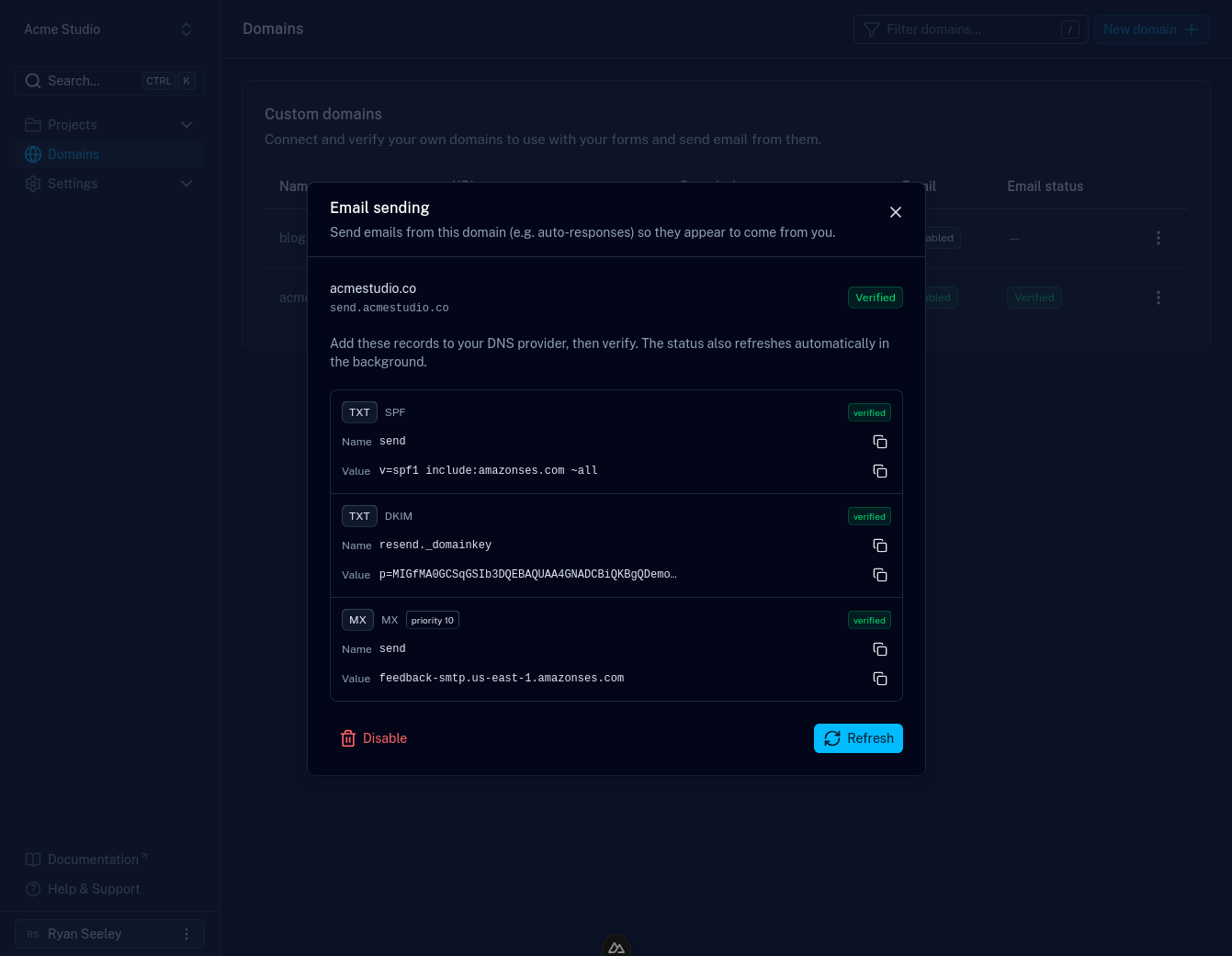
DNS changes can take anywhere from a few minutes to several hours to propagate.
If verification doesn't succeed immediately, double-check the records and try
again shortly.
Using a domain with a form
Once a domain is verified, link it to a form to enable features that send email from it, such as auto-responses. Custom domains are available on paid plans; see pricing.