

Billing & Plans
Billing is handled per team. Your plan sets your monthly submission limit, file storage, and which features are available. See the pricing page for the full comparison and current prices.
Plans at a glance
- Free — a single project and form, 1,000 submissions a month, notifications, analytics, and email support. Enough for a small site.
- Premium — higher submission limits, file storage, custom domains, auto-responses, advanced spam protection, multiple teams, and unlimited projects, forms, and collaborators.
- Agency — the highest limits, more storage, removal of Formiary branding from auto-responses, and priority support.
See pricing for exact limits and prices.
Submission limits & overages
Each plan includes a number of submissions per month. Crossing that limit doesn't start rejecting legitimate submissions. On a paid plan the extras are billed automatically at tiered per-1,000 rates, and the rate falls the more you receive. The current rates are on the pricing page.
Yearly billing
Yearly plans are discounted, working out to two months free compared to paying monthly.
You can move between monthly and yearly on the same plan at any time. On the billing page, switch the Monthly / Annual tabs and your current plan's card offers Switch to annual or Switch to monthly:
- Monthly → annual takes effect straight away, with the price difference prorated for the rest of your period.
- Annual → monthly takes effect at the end of the year you've already paid for. Until then nothing changes, and you can undo the switch from the banner on the billing page.
Managing your subscription
Manage your plan from your team billing settings in the dashboard:
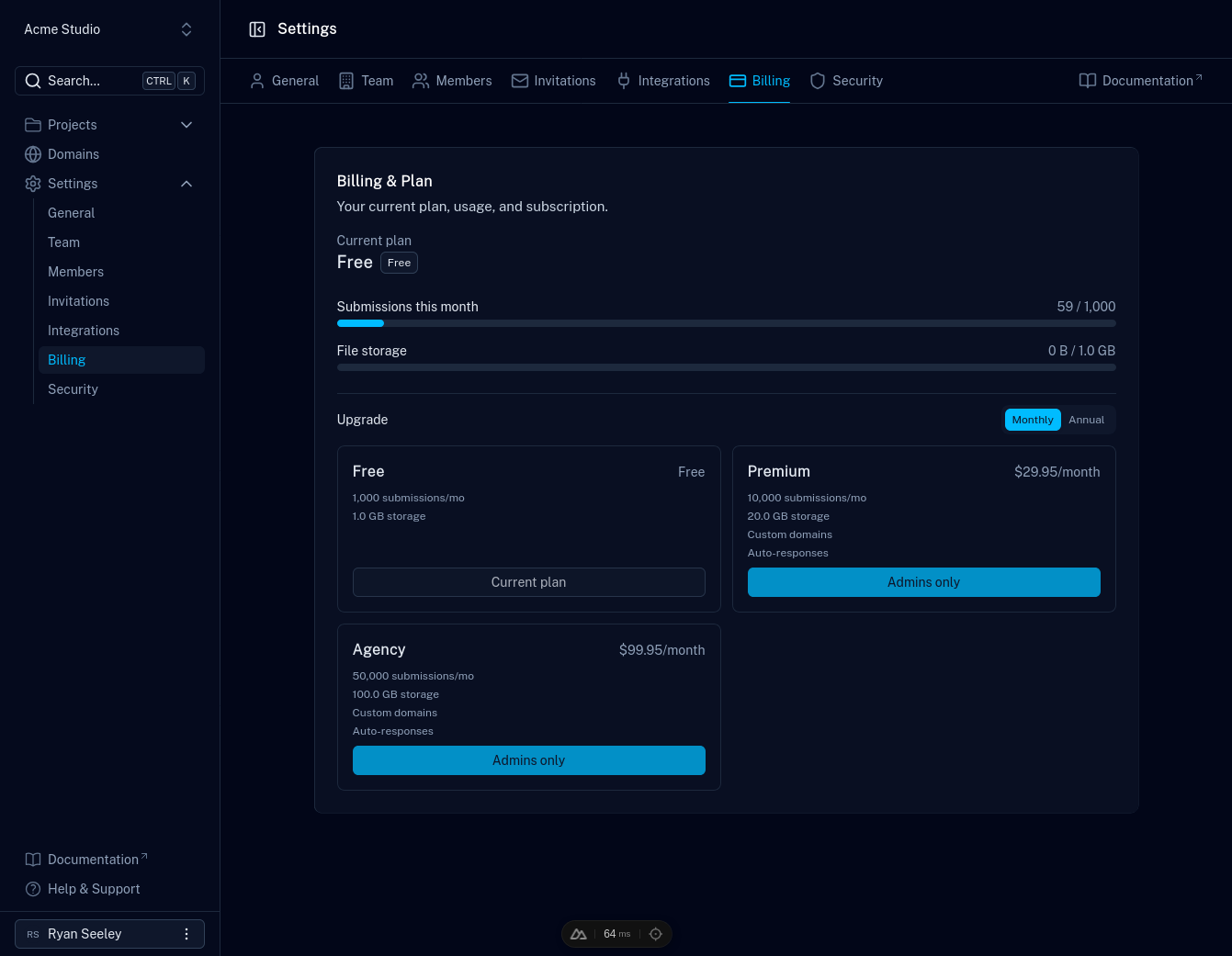
- Upgrade or downgrade at any time; billing is adjusted accordingly.
- Switch between monthly and yearly billing on your current plan (see Yearly billing).
- Cancel from the billing settings, or contact support for help.
- Refunds are available within 30 days of purchase. Contact support to start the process.
For more, see the billing questions in the pricing FAQ.